
7 Best Budget Laptops for Online Work in 2026
Working online in 2026 requires handling video calls, cloud applications, light editing tasks, and multiple browser tabs throughout the day. Most people do not need an expensive workstation. They need a reliable and portable laptop that delivers steady performance at an affordable price. This guide presents seven budget laptops suited for online work and highlights the key features to prioritize for consistent productivity.
Whether you are an OFW supporting your family, preparing to transition into online work, or a freelancer working remotely, choosing the right laptop improves efficiency and reduces frustration. This guide helps you compare practical options that balance cost, durability, and stable performance so you can invest confidently in a device built for long term online income.
Table of Contents
How I chose these models
To select the 7 best budget laptops for online work in 2026, I focused on practical performance and long term value. Each model was evaluated based on real daily use such as video calls, document editing, and multitasking. The goal was reliability, not flashy features.
Selection criteria
- Consistent performance for productivity applications
- Comfortable keyboard and responsive trackpad for long typing sessions
- Reliable battery life for a full remote workday
- Lightweight design that is easy to carry
- Strong value for money with useful features for the price
This list highlights laptops that balance affordability and durability. Each model delivers essential features that support online work without unnecessary extras that increase cost. The focus remains on practical usability so buyers can invest confidently in a machine that lasts.
Quick comparison table
| Model | Screen | CPU | RAM | Storage | Estimate Price Range |
|---|---|---|---|---|---|
| Acer Aspire Classic 14 | 14″ FHD | Intel Core i3 / Ryzen 3 | 8GB | 256GB SSD | $300–$450 |
| Lenovo IdeaPad Essential | 15.6″ FHD | Ryzen 5 | 8GB | 512GB SSD | $400–$550 |
| ASUS VivoBook Value | 14″ FHD | Intel Core i5 | 8GB | 256GB SSD | $450–$600 |
| HP Stream Pro | 14″ HD | Intel Pentium / Celeron | 4–8GB | 128–256GB eMMC/SSD | $200–$350 |
| Dell Inspiron Everyday | 15.6″ FHD | Intel Core i3 | 8GB | 256GB SSD | $350–$500 |
| Chuwi HeroBook Air | 14″ FHD | Intel N-series | 8GB | 256GB SSD | $250–$400 |
| MacBook Air (M1/Used) | 13.3″ Retina | Apple M1 (refurb/used) | 8GB | 256GB SSD | $450–$700 (used/refurb) |
In-depth: The 7 Best Budget Laptops for Online Work in 2026
1) Acer Aspire Classic 14 – Best Overall Value
The Acer Aspire Classic 14 delivers strong everyday performance at an affordable price. With Intel Core i3 or Ryzen 3 options, it handles web apps, video calls, and document work smoothly. The 14 inch Full HD display balances portability and workspace for daily productivity.
Why it’s great for online work:
- Reliable processor for browser heavy tasks
- Stable battery life for regular work sessions
- Upgrade options for RAM and storage
Use cases: students, freelancers, writers, online tutors
This model is ideal for users who prioritize value and dependable daily performance.
2) Lenovo IdeaPad Essential – Best for Multitasking on a Budget
The Lenovo IdeaPad Essential offers strong multitasking performance at a competitive price. Ryzen 5 models with 8GB RAM manage multiple tabs, communication apps, and spreadsheets without slowing down. The larger display improves visibility for users who prefer a wider workspace during extended sessions.
Why it’s great for online work:
- Strong multi core performance
- Spacious 15.6 inch Full HD display
- Reliable cooling for longer use
Use cases: remote employees, virtual assistants, online managers
This laptop focuses on real world productivity at a practical price.
3) ASUS VivoBook Value – Best Slim and Stylish Option
The ASUS VivoBook Value combines portability with modern design. Its slim build and bright 14 inch display make it suitable for professionals who move frequently. Some configurations include Intel Core i5 processors that support heavier online tasks while maintaining efficient daily performance.
Why it’s great for online work:
- Faster processor options
- Lightweight and travel friendly design
- Clear display for video meetings
Use cases: digital nomads, students, traveling professionals
It delivers style without sacrificing essential performance.
4) HP Stream Pro – Best Ultra Budget Pick
The HP Stream Pro is designed for light browser based work such as email, document editing, and video meetings. While it is not built for heavy multitasking, it performs reliably for simple tasks. Its low price makes it accessible for beginners.
Why it’s great for online work:
- Very affordable price range
- Lightweight and easy to carry
- Acceptable battery life for light usage
Use cases: students, data entry tasks, backup laptop users
It is a practical entry level option for basic online work.
5) Dell Inspiron Everyday – Best Balanced 15 Inch Option
The Dell Inspiron Everyday offers dependable build quality and steady performance. With a 15.6 inch Full HD display and Intel Core i3 options, it handles daily office tasks smoothly. The chassis feels durable and includes useful ports for productivity.
Why it’s great for online work:
- Large display for multitasking
- Solid build and reliable support
- Upgrade options for RAM and storage
Use cases: office workers, home based professionals
It remains a dependable everyday work laptop.
6) Chuwi HeroBook Air – Best Alternative Brand for Savings
The Chuwi HeroBook Air provides affordable hardware with practical features. It includes a Full HD display and lightweight design suitable for basic online tasks. Performance is modest but sufficient for browsing, writing, and communication platforms.
Why it’s great for online work:
- Strong price to feature ratio
- Compact and easy to carry
- Pre installed Windows system
Use cases: writers, social media managers, budget focused users
It is a good choice for cost conscious buyers.
7) MacBook Air M1 Used or Refurbished – Best Long Term Value
The MacBook Air M1 remains one of the most efficient laptops available. A used or refurbished unit offers strong performance and excellent battery life at a lower cost. It handles web applications, editing tasks, and video meetings smoothly.
Why it’s great for online work:
- Long lasting battery performance
- Quiet and efficient operation
- Strong processing power for daily tasks
Use cases: creatives, remote professionals, macOS users
A well maintained unit offers lasting value and reliable productivity.
Buying Guide: How to Pick a Laptop for Online Work in 2026
When choosing a laptop for online work, focus on features that directly affect daily productivity. A good device should handle video calls, browser tasks, and document editing without lag. Prioritize reliability and upgrade potential instead of cosmetic features or unnecessary extras.
1) Processor (CPU)
For general online work, select at least an Intel Core i3 or Ryzen 3 processor. If your budget allows, choose a Ryzen 5 or Core i5 for smoother multitasking. Avoid very low power processors if you frequently open many tabs and attend video meetings.
2) Memory (RAM)
8GB RAM is the practical minimum for comfortable online work in 2026. It supports video conferencing, cloud applications, and multiple browser tabs without slowing down. If you manage heavier workloads or virtual environments, 16GB offers better stability and long term usability.
3) Storage (SSD vs eMMC)
An SSD significantly improves startup speed and overall responsiveness. Aim for at least 256GB of SSD storage to ensure enough space for applications and files. A 128GB SSD can work with cloud storage. Avoid eMMC storage since it is slower and harder to upgrade.
4) Display
A Full HD display with 1920×1080 resolution provides comfortable viewing for extended work sessions. Choose at least a 14 inch screen for better portability and workspace balance. A 15.6 inch display offers more visible area if you frequently manage multiple windows.
5) Battery Life
Expect around 6 to 10 hours of battery life during regular online tasks. Actual performance depends on screen brightness and video call usage. Manufacturer claims are often higher than real world results, so review independent tests before making a final decision.
6) Keyboard and Webcam
A comfortable keyboard is essential for long typing sessions. Look for stable key travel and responsive feedback. A clear webcam with at least 720p resolution improves meeting quality. Check microphone clarity as well to ensure smooth communication during online calls.
7) Ports and Upgradeability
Multiple USB ports, HDMI output, and card readers improve flexibility. These features make it easier to connect external devices or monitors. Upgradeable RAM or storage extends the laptop’s lifespan and allows performance improvements without replacing the entire device.
8) OS and Software
Windows remains the most common option for affordable laptops and supports a wide range of applications. ChromeOS suits fully browser based workflows. macOS is available through used or refurbished Apple devices and offers strong efficiency and long term software support.
Where to Check Trusted Listings and Verified Reviews in the Philippines
After choosing the right specifications, compare listings from verified sellers. Review product descriptions, warranty details, and buyer feedback carefully before purchasing. Checking real user experiences helps you avoid unreliable units and select a model suited for consistent online productivity.
You can compare models, review updated prices, and read verified buyer feedback on Shopee Philippines. Focus on official brand stores and sellers with strong ratings. Clear warranty terms and transparent product details increase the likelihood of receiving an authentic and reliable device.
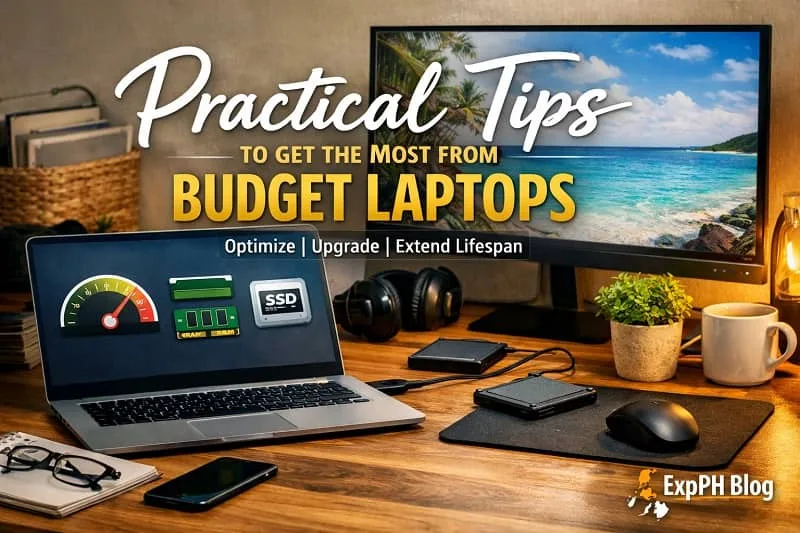
Practical Tips to Get the Most from Budget Laptops
Budget laptops can perform reliably when maintained properly. Small adjustments in software management and hardware upgrades can improve speed and extend lifespan. Focus on efficiency and smart usage habits instead of expecting premium performance from entry level hardware.
Optimize system performance
- Uninstall unused applications and disable unnecessary startup programs
- Choose browser based or lightweight applications to reduce system strain
- Keep your operating system updated for better security and stability
Maintaining a clean system reduces background processes and improves responsiveness. Regular updates and simple software choices help prevent slowdowns during daily online tasks.
Plan for future upgrades
- Select a laptop with upgradeable RAM or storage
- Increase memory if multitasking becomes demanding
- Replace or expand SSD storage when space runs low
Upgrading hardware later is often more affordable than replacing the entire device. A modest investment in memory or storage can significantly extend performance and usability.
Improve your workspace setup
- Connect to an external monitor for wider screen space
- Use a separate keyboard and mouse for better comfort
- Position your laptop on a stand to improve airflow
A proper setup increases productivity and reduces strain during long work sessions. Better ergonomics also support consistent performance throughout the day.
Protect battery health
- Avoid exposing the laptop to extreme heat
- Do not keep the battery at full charge continuously
- Unplug once charging is complete when possible
Healthy charging habits preserve battery lifespan and maintain consistent performance. Taking care of the battery reduces long term replacement costs and improves overall reliability.
These practical steps help transform affordable machines into dependable tools for remote work. With proper care and smart upgrades, budget laptops can support daily productivity efficiently and remain useful for several years.

Where to Buy and What to Watch
When purchasing a laptop, compare prices across different sellers before deciding. Check for seasonal discounts and limited promotions that may reduce costs. Certified refurbished models can offer stronger specifications at lower prices while still providing warranty protection and reliable performance.
Recommended retailer types
- Manufacturer stores such as Acer, Lenovo, or ASUS
- Large e commerce marketplaces including Amazon, Lazada, and Shopee
- Certified refurbishers and official outlet stores
- Local authorized retailers that provide warranty support
Each option has advantages depending on your budget and preference. Manufacturer stores often provide official warranties and bundled offers. Marketplaces may offer competitive pricing and buyer reviews. Refurbishers can deliver better hardware value. Authorized retailers provide direct assistance and easier service claims when needed.
Conclusion
Online work in 2026 requires reliable and efficient tools, and choosing the right laptop plays a key role in productivity. The seven budget laptops featured in this guide offer a balanced mix of performance and affordability for remote work, freelancing, and studying. Whether you prefer the portability of the ASUS VivoBook, the durability of the Dell Inspiron, or the long battery life of a refurbished MacBook Air M1, there is an option that fits your needs and budget.
Before making a final decision, review product feedback and compare prices from official brand stores and verified retailers. The best choice is not simply the lowest price but the device that delivers stable performance and long term value. With careful research and thoughtful comparison, you can invest in a dependable laptop that supports consistent online work without overspending.
If you’re looking for more in-depth laptop guides, software recommendations, and productivity tools, visit:
Expand your knowledge through the recommended links below.
- The Business Process Outsourcing (BPO) Sector in the Philippines
- Top Platforms for Building an Online Community in 2026
- Top Startups Leading Innovation in the Philippines
- The Rise of Robotics in the Philippines
- Space Technology Kontra Korapsyon
Frequently Asked Questions
1) What makes a laptop suitable for online work in 2026?
A suitable laptop handles video calls, browsing, and productivity apps smoothly. It should have at least 8GB RAM, SSD storage, and a reliable processor for multitasking.
2) Is 8GB RAM enough for remote work tasks?
Yes, 8GB RAM supports video conferencing, document editing, and multiple browser tabs. For heavier multitasking or creative work, upgrading to 16GB improves stability and performance.
3) Should I choose SSD over eMMC storage?
Yes, SSD storage offers faster boot times and better responsiveness. eMMC is slower and less upgrade friendly, which may limit performance over time.
4) Are refurbished laptops good for online work?
Refurbished laptops can offer strong value if purchased from trusted sellers. Models like the MacBook Air M1 provide reliable performance at a lower price.
5) What processor is recommended for budget laptops?
Choose at least an Intel Core i3 or Ryzen 3 processor. For smoother multitasking and better long term performance, consider Ryzen 5 or Core i5 options.
6) How important is screen resolution for productivity?
A Full HD display improves clarity and reduces eye strain during long sessions. It allows better multitasking compared to lower resolution screens.
7) Can budget laptops handle video conferencing smoothly?
Yes, most modern budget laptops support video meetings. Ensure the device has stable performance, sufficient RAM, and a clear webcam for communication.
8) How long should battery life last for online work?
A practical budget laptop should provide six to ten hours of moderate use. Actual battery life depends on brightness, workload, and system optimization.
9) Is a 14 inch or 15.6 inch screen better?
A 14 inch screen offers portability and balance. A 15.6 inch display provides more workspace, which benefits multitasking and extended productivity sessions.
10) Where is the best place to buy budget laptops in the Philippines?
Buy from official brand stores, verified online marketplaces, or certified refurbishers. Always check warranty coverage, seller ratings, and product reviews before purchasing.
Learning Hub Quiz!
This short quiz will test your knowledge about the top budget laptops, performance features, and what matters most when choosing a reliable work machine.
Results


#1. Which laptop offers top overall value
#2. Minimum RAM recommended for online work
#3. Best display resolution for work
#4. Which CPU is practical for online tasks
#5. Best storage type for faster load times
#6. Which laptop is top choice for multitasking
#7. Best ultra budget option
#8. Best used premium value
#9. Ideal screen size for many users
#10. Which factor boosts multitasking performance
Thank you for taking the quiz.
We appreciate your time and support. Please share your experience in the comments so we can continue improving our Learning Hub for you.

A Filipino web developer with a background in Computer Engineering. Founder of ExpPH Blog and ExpPH Business Guide, creating practical content on OFW guidance, business, finance, freelancing, travel, and lifestyle. Passionate about helping Filipinos grow, he shares insights that educate, empower, and inspire readers nationwide.



Pingback: Best Online Community Platforms for Strong Groups in 2026
Pingback: Top 10 Powerful Ways how AI Is changing Everyday Life in PH!